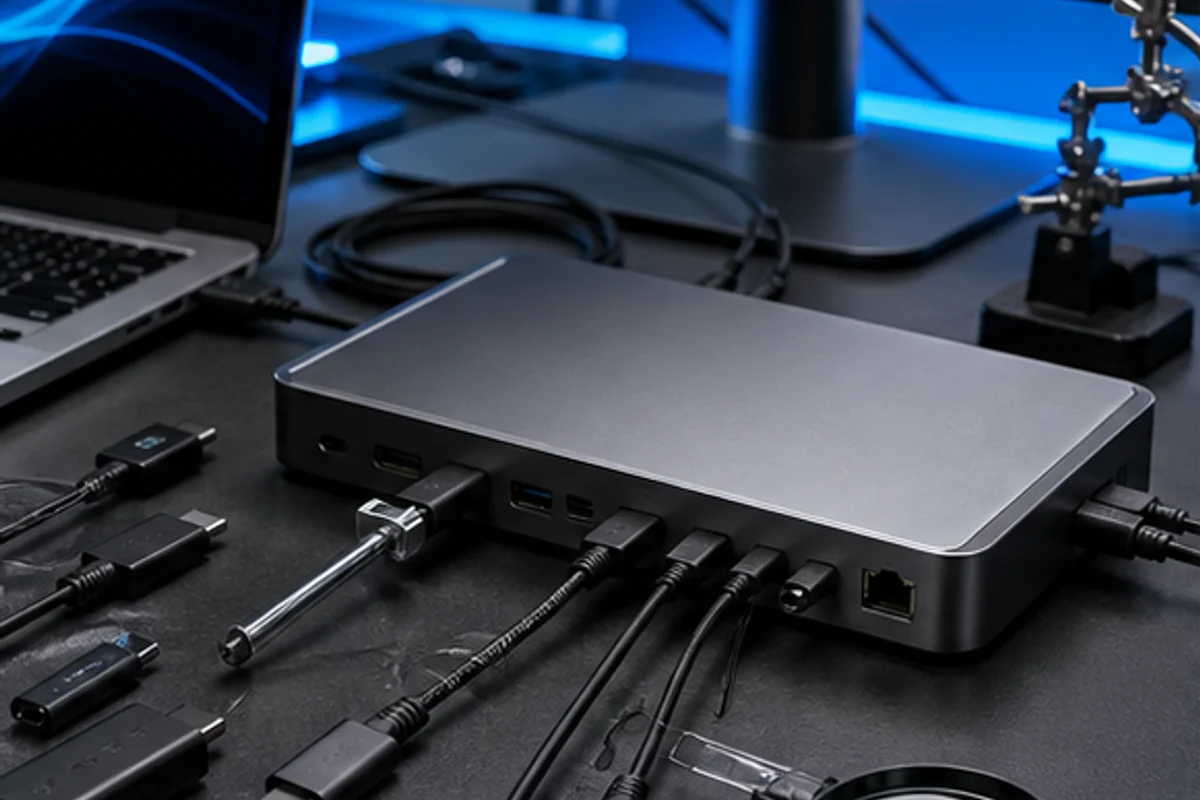
USB-C describes a reversible connector. The connected equipment still needs compatible data protocols, video modes and power negotiation, and the cable must carry the required combination. GearPilotia uses an evidence-first decision framework: no paid placement, no invented laboratory result and no external commercial link. The purpose is to help a reader reproduce a careful comparison with the equipment, region and workload that actually matter.
Start with the real job, not the product label
Draw the source, cable, adapter or dock and destination for each function. Label required data speed, video, power direction and power level at every link. Separate requirements from preferences and write an acceptable fallback for every essential function. A decision brief should name who uses the setup, where it runs, how often the demanding task occurs, what existing equipment must remain compatible and what failure would interrupt important work.
Use a small set of representative tasks rather than an artificial list of every possibility. Complete each task from start to finish, including connection, file movement, account access, sleep and wake, charging and recovery. A component can be individually fast yet create a slower system when an adapter, application or thermal limit interrupts the workflow.
Build an evidence sheet before comparing
For every candidate, record the exact model and regional variant, firmware or software version, configuration, test date, power mode, connected accessories and ambient conditions. Distinguish manufacturer specifications, independent measurements and your own observations. They answer different questions and should never be blended into one unexplained score.
Specifications establish advertised capability, not successful operation in every system. Independent measurements are useful when the method, sample and settings are disclosed. A personal trial proves how one setup behaves in its intended context. When evidence conflicts, retain the conflict and identify the next test rather than choosing the most convenient result.
Criteria that change this decision
Connector and protocol
Identify the data standard or alternate mode supported by both endpoints. A connector can be present for charging only, slower data, high-speed data or video in different combinations. Record the conditions, configuration and observation rather than reducing this point to a badge. Repeat the check after the system has warmed up or the connection has changed whenever that state affects the result.
Cable capability
Use a cable with explicit data, video and power ratings appropriate to length. Visual appearance and connector fit do not reveal internal wiring or electronic marking. Record the conditions, configuration and observation rather than reducing this point to a badge. Repeat the check after the system has warmed up or the connection has changed whenever that state affects the result.
Bandwidth sharing
A dock divides one upstream connection among displays, storage, network and peripherals. High-resolution displays can reduce bandwidth available to other devices depending on the mode. Record the conditions, configuration and observation rather than reducing this point to a badge. Repeat the check after the system has warmed up or the connection has changed whenever that state affects the result.
Power direction and negotiation
Confirm which device sources power, which receives it and the negotiated limit. Never assume a physically compatible charger or cable supplies the intended rate. Record the conditions, configuration and observation rather than reducing this point to a badge. Repeat the check after the system has warmed up or the connection has changed whenever that state affects the result.
Platform restrictions
Check operating-system display rules, drivers, security prompts and firmware. A dock working on one computer does not prove identical behaviour on another. Record the conditions, configuration and observation rather than reducing this point to a badge. Repeat the check after the system has warmed up or the connection has changed whenever that state affects the result.
Run a repeatable three-stage check
First, verify the normal path. Begin from a cold, known state and complete the main task at the intended quality, power and connection settings. Note setup time, interruptions, noise, heat, responsiveness and the result produced. Avoid changing several controls simultaneously because the cause of an improvement or failure then becomes unclear.
Second, test the sustained or awkward state. Continue long enough for temperature, battery, memory pressure or network behaviour to stabilise. Reconnect an accessory, wake from sleep, switch users or move to weaker wireless coverage when those events are realistic. Technology that performs well only immediately after restart is not yet a reliable workflow.
Third, prove recovery. Document how to restore the system after a failed connection, empty battery, application crash, interrupted update or lost account session. Recovery should be understandable to the real user and should not depend on an undocumented sequence remembered by one person.
Compare complete systems at equivalent settings
Use the same workload, source material, output target and measurement window. Match display resolution, sound level, network, image-quality features and power policy where they affect the outcome. If equivalent settings are impossible, explain the difference and compare the user-visible result instead of pretending the numbers are directly interchangeable.
Warm up equipment when thermal state matters, repeat variable tests and report a range rather than false precision. One exceptional run is not representative. At the same time, do not call documentary analysis a laboratory test. GearPilotia publishes a method and decision record unless calibrated measurement under a disclosed protocol has actually taken place.
Include compatibility, privacy and accessibility
Compatibility extends beyond the connector. Confirm protocol, operating-system support, drivers, account rules, power, bandwidth, regional variant and the behaviour of every required adapter. Test keyboard operation, readable text, captions or audio controls, colour-independent status and the needs of the actual user. An inaccessible control is a functional incompatibility.
Connected technology can expose location, voice, media, household presence and account relationships. Review permissions, indicators, local control, cloud dependence, deletion, guest access and recovery. Use a dedicated test profile where possible and never publish serial numbers, network identifiers, private recordings or credentials as supporting evidence.
Model the full ownership cost
Calculate the device, required accessories, cables, adapters, subscriptions, energy, replacement wear parts and realistic service over the planned life. Include the cost of an incompatible purchase, downtime and a credible return. A slightly higher initial price can be rational when it removes a fragile adapter chain or provides a repair path; a premium label alone is not evidence of value.
Check warranty territory, update horizon, battery or consumable replacement, spare parts, documentation, data export and end-of-life reset. A useful product remains maintainable after launch reviews disappear. Treat promised future features as absent until they are delivered and independently verified.
Signals that require stronger proof
- Connector shape is used as the specification. Pause the shortlist until the missing capability, constraint or recovery path is documented.
- A charging cable is expected to carry high-speed data. Pause the shortlist until the missing capability, constraint or recovery path is documented.
- Shared bandwidth is omitted from the display plan. Pause the shortlist until the missing capability, constraint or recovery path is documented.
A risk signal is not a verdict. It raises the evidence required before purchase. Ask a precise question, keep the answer with its date and model, and remove the candidate when an essential dependency remains unknown. A shorter defensible shortlist is more useful than a crowded ranking.
Finish with a decision record
- State the real tasks, environment and non-negotiable constraints.
- Remove candidates that fail compatibility, safety, accessibility or support.
- Compare the remaining complete systems at equivalent settings.
- Repeat the sustained check and prove the recovery path.
- Record the chosen trade-off, remaining limitation and review date.
The final explanation should fit in a few sentences: this setup completes the required work, the evidence was gathered under these conditions, this compromise was accepted, and this recovery path remains available. That statement is more durable than a generic score because it can be reviewed when software, prices or needs change.